
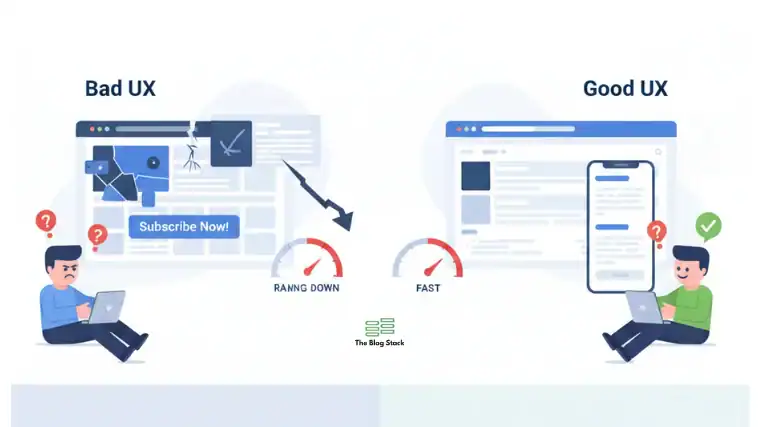
UX & SEO in 2026: 11 Signals That Can Boost or Break Your Blog’s Rankings
User experience (UX) is no longer “nice to have” for blogs — it is a core ranking layer.
In 2026, search engines and AI answer systems evaluate not just what you publish, but how users experience your site. Poor UX can suppress even excellent content. Strong UX can amplify average content.
This beginner-friendly guide explains user experience SEO, the most important UX ranking factors, and exactly how UX affects SEO in practice.
You will also learn how to improve blog UX for better rankings with simple, actionable steps.
Why UX Matters for SEO in 2026
Search engines aim to reward pages that:
- Load fast
- Are easy to read
- Help users complete tasks
- Reduce frustration
- Answer questions clearly
If users struggle, bounce, or scroll away, algorithms treat that as a quality signal problem, not just a content issue.
Core idea:
Great content + bad UX = weak rankings
Good content + strong UX = strong rankings
What is User Experience SEO?
User experience SEO (UX SEO) is the practice of designing and optimizing your blog so that humans and search engines can both navigate, understand, and trust it easily.
It blends:
- Technical SEO
- Visual design
- Readability
- Performance
- Accessibility
- Information architecture
11 UX Signals That Can Boost or Break Rankings
Below are the 11 most important UX ranking factors in 2026, explained simply.
1. Core Web Vitals (Speed + Stability + Responsiveness)
Why it matters
Slow sites frustrate users — and rankings drop.
What Google looks at
- Largest Contentful Paint (LCP)
- First Input Delay (FID)
- Cumulative Layout Shift (CLS)
How to improve blog UX for better rankings
- Compress images
- Use modern formats (WebP/AVIF)
- Reduce heavy scripts
- Use caching
- Avoid layout shifts
2. Above-the-Fold Clarity
Common mistake
Too many ads, popups, or banners before content.
UX fix
Your main message should be visible within 3 seconds without scrolling.
3. Readability & Scannability
Search engines favor content that is easy to scan.
Use:
- Short paragraphs
- Bullet points
- Subheadings (H2, H3)
- Bold key phrases
- Simple sentences
4. Mobile-First Experience
Most users read blogs on mobile.
If your site is not smooth on mobile:
- Buttons too small
- Text too tiny
- Images overflow
→ Rankings can drop.
5. Navigation & Site Structure
Clear navigation helps both users and crawlers.
Best structure:
Homepage
→ Main Category
→ Subtopic
→ Blog Post
Keep important pages within 3 clicks.
6. Internal Linking UX
Users should naturally discover related posts.
Avoid:
- Random links
- Too many links
- Unclear anchor text
Use descriptive anchors like:
- “Learn more about UX ranking factors”
instead of “click here”.
7. Content Layout & Visual Balance
Good UX = balanced layout.
Use:
- White space
- Visual breaks
- Diagrams
- Screenshots
- Charts
8. Accessibility (Often Ignored UX Factor)
Accessibility is now a ranking consideration.
Key practices:
- Alt text for images
- High contrast text
- Proper headings
- Keyboard navigation
This helps both users and AI crawlers.
9. Bounce Rate vs Engagement Quality
High bounce is not always bad — but frustration bounces are.
Signs of bad UX:
- Fast exit after landing
- No scrolling
- No interaction
Improve by:
- Clear intro
- Fast loading
- Helpful first section
10. Visual Stability (No Jumping Content)
Layout shifts annoy users.
Avoid:
- Late-loading ads
- Dynamic banners
- Auto-expanding images
Stable pages feel professional.
11. Trust & Credibility Design
UX trust signals include:
- Clear author bio
- About page
- Contact details
- Clean design
- No spammy elements
Trust = better engagement = better rankings.
Quick Comparison Table: Good UX vs Bad UX
| UX Area | Good UX | Bad UX |
| Speed | Fast load | Slow load |
| Layout | Clean | Cluttered |
| Mobile | Smooth | Broken |
| Navigation | Simple | Confusing |
| Readability | Easy | Dense text |
| Accessibility | Enabled | Ignored |
How UX Affects SEO?
- Better UX → happier users
- Happier users → better engagement
- Better engagement → stronger ranking signals
- Stronger signals → higher rankings
In short:
UX is the bridge between content and rankings.
Beginner Checklist: Improve Blog UX in 7 Steps
- Run Core Web Vitals test
- Simplify homepage
- Fix mobile layout
- Add clear headings
- Reduce ads/popups
- Improve internal links
- Add alt text to images
FAQs
How does UX affect SEO?
Better UX improves engagement, which strengthens ranking signals like dwell time and satisfaction.
Is UX more important than backlinks?
They work together — strong UX helps your backlinks perform better.
Can a fast site still rank poorly?
Yes, if content is unclear or navigation is confusing.
How long does UX take to impact rankings?
Usually 2–8 weeks after major improvements.
Final Takeaway
In 2026, user experience SEO is ranking experience.
If users love your blog, search engines are far more likely to love it too.

A really good blog and me back again.
This is a great piece of content.
This post is very informative.